Role: Project Coordinator, Editor
Team size: 1
Timeline: 5 Days
Tools Used: Ftrack, Premiere Pro
Team size: 1
Timeline: 5 Days
Tools Used: Ftrack, Premiere Pro
I decided to have a go at completing an editing task inspired by the EditFest competition. Here, I used the free preview footage found on Film Supply and audio from Freesound to mock-up a pretend documentary trailer about storm chasers in rural America called ‘Storm’.
Primarily this task's objective was to showcase my coordination and organisation skillset but to also brush up on my editing skills in Premier Pro. I have previously used project management tools like Trello and Jira for past professional games projects, so I thought I would have a go at trying Ftrack Studio, one of the industry standard software used in film and VFX studios.
I also planned for a very short, strict deadline for this project (5 days) to improve my critical thinking and time management. As you can see from the project board and end trailer deliverable I did not meet every requirement, this is expanded upon in the learnings section.
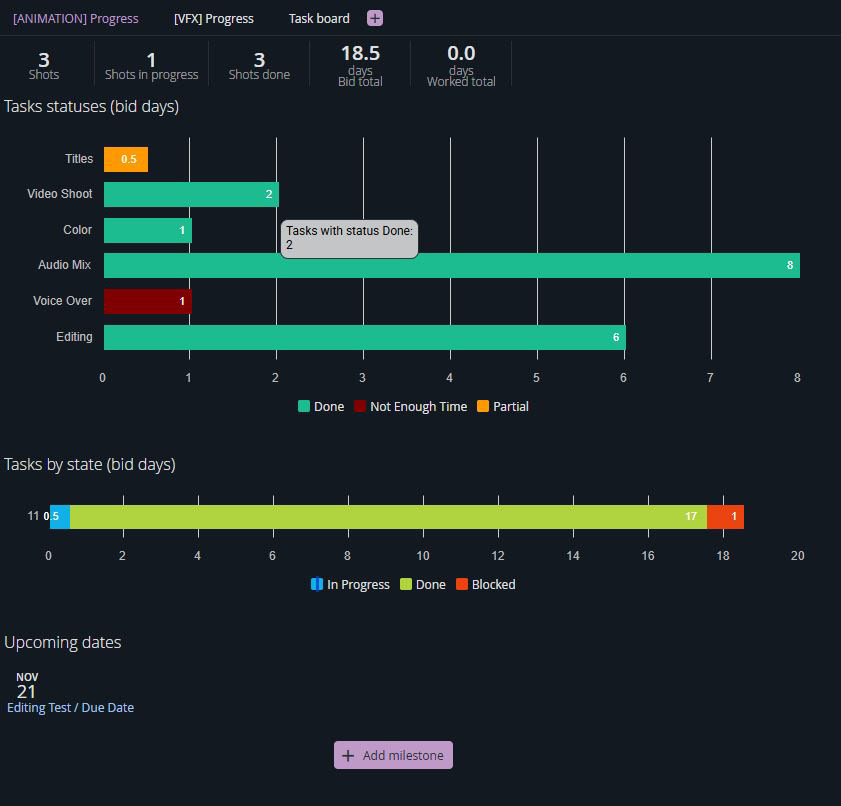
Ftrack
This was my first time using this software so I initially was following online tutorials and guides. However, I quickly realised the structure is very similar to how other project management tools I have mastered in the past work.
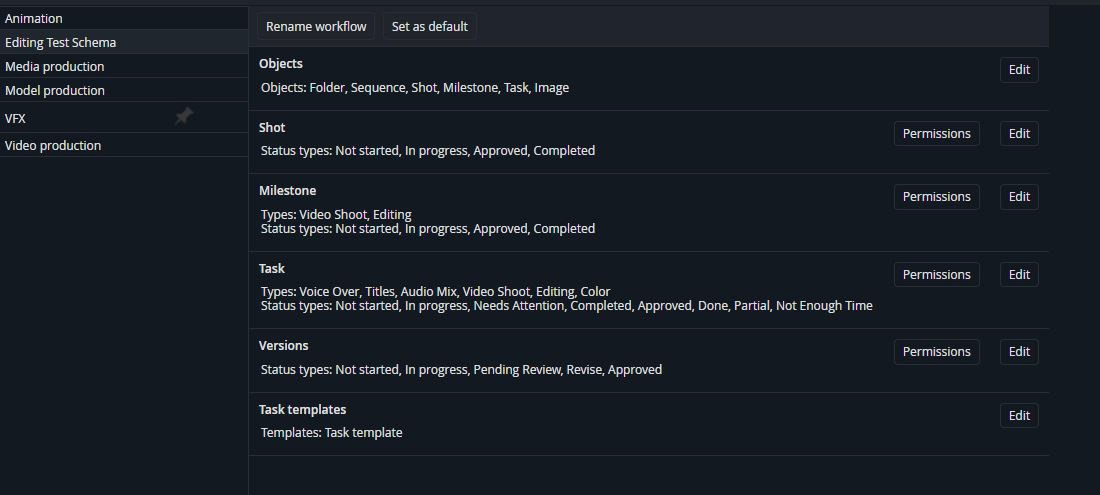
Initially I started setting up the project by creating a custom schema. Adding, creating and modifying any relevant type, status or object that would be needed to this task.
Initially I started setting up the project by creating a custom schema. Adding, creating and modifying any relevant type, status or object that would be needed to this task.
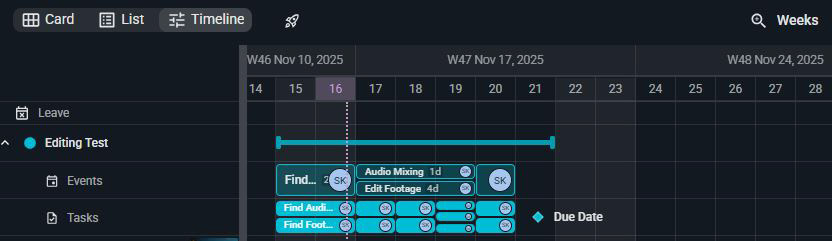
From here I created a ‘New Project’ setting the dates and using the recently created schema for the structure workflow. Next I blocked out an estimate of the events on the timeline these included: ‘Find Footage & Audio’, ‘Edit Footage’, ‘Audio Mixing’ and ‘Colour Grading & Misc.’.
From there, I proceeded to the project board where I added the required tasks, trying to stick to clear naming conventions, correct tags and folder hierarchy. I decided to split up each act of the trailer into three sections; this was done by using sequences as parent folders to shots which hold the individual tasks.
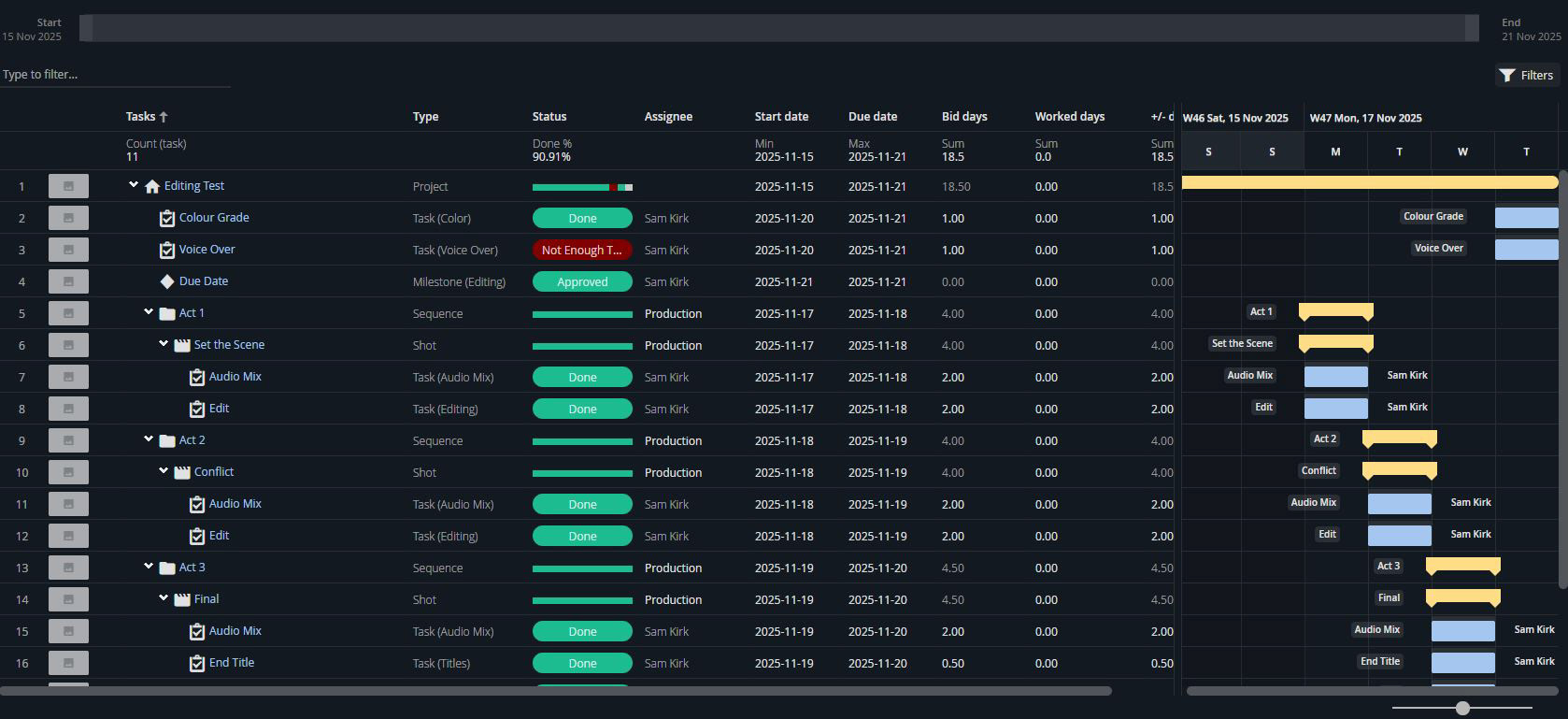
As I was completing each task I also made sure to update the status accordingly. While also attaching any relevant media file to the task.
Premier Pro
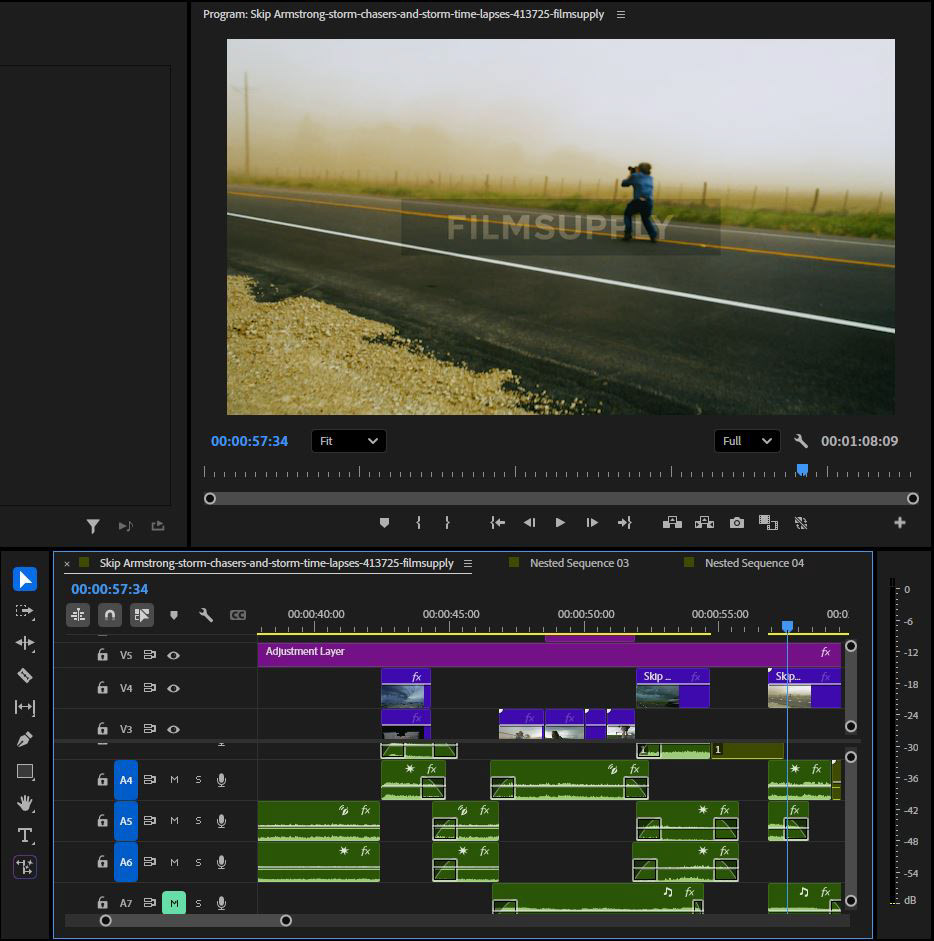
Following the creation of the Ftrack board I started to use the found footage and audio clips to create a quick one minute trailer. As I haven’t touched Premier Pro in a long time this was pretty much an re-introduction to the software. I used various tutorials to learn and apply a multitude of cuts and transitions to make it visually interesting while also informing the audience the premise of the film.
Learnings
Being one of my first experiences using Ftrack and Premier Pro I feel like the project went well. Next time I would definitely set a longer time frame with more generous estimates on the bided days to make sure every task was completed to a high standard and that I wasn't rushing. I also wasn't sure on how to update the worked days correctly, more training is required.
I would like to expand my knowledge of project management programs like Ftrack to a higher level. Maybe coordinating on a professional project with a number of people to learn more about roles, versions and just general team planning.
I would like to expand my knowledge of project management programs like Ftrack to a higher level. Maybe coordinating on a professional project with a number of people to learn more about roles, versions and just general team planning.